Hackback 0x02: Carefully Wreaking Havoc
Gather 'round boys and girls! For it's time for the new installment of our campfire hacking story!
Chapter 0x05: Graphic Content
At this point in my journey into the server of a crappy phishing campaign, we have code execution on the system through the tiny PHP shell that was written to disk using the SQL server. If you have no idea what I'm talking about, perhaps its best if you go back and have a quick read-over for the first part.
Now code execution is neat to have on a remote system, you know what's cooler, though? interactive code execution. Because every hacker deserves to finding the last command they executed when they press the up button and have those systems auto complete the long commands and filenames for them when they press tab.
After thinking about multiple ways to get a reverse shell on the system, piping cmd.exe to a remote connection or even throwing meterpreter at the device as some particular person had suggested (You know who you are). I remembered that while going through the list of running processes on the system, I noticed a couple of things:
Some users were logged in through RDP
If it wasn't obvious from the username, we're in the
local administratorsgroup.

Since our compromised user was running as an administrator, we can go ahead and just tell the system to create a new user for us:
net user /add totallynotahacker hunter2
And add it to the "Remote Desktop Users" and "Administrators" group:
net localgroup Administrators totallynotahacker /add
net localgroup "Remote Desktop Users" totallynotahacker /add
And now we can fire up any remote desktop client and just waltz into their system, graphically speaking.
Chapter 0x06: The Secret World of Phishers
Throughout my modest experience in the field, I always read news or advisories about phishing campaigns in the wild that contain account stealers, or malware. But back then, none of those articles or books really give you an inside look at how an actual "bad guy" operation really looks like from the inside. So allow me.
Stepping into the machine, I noticed that it had 4 users. for the sake of demonstration let's call them user[1-4]. The first user appeared to be the first one to be made. it had a couple of programs installed, one of which was a mass mailer, the second of a brute forcer of sorts.
The directory also contained text files that had lists of emails. the text files appeared to be sorted by email provider and country, for example Godaddy-France.txt.
The brute forcer program was fired before at some of these emails with a default wordlist found in the Program Files directory, and had actually returned some results. It's sad to see that in 2019 some people still use P@assw0rd`as the password for their corporate emails, might as well leave it blank.
On opening the bulk mailer, I found that it was already loaded with the email lists above, and after navigating to the "templates" tab, I was able to confirm that this indeed is the user and the program used to send me the email.
Venturing further into the web root at c:\xampp\htdocs I noticed one of the two things that have satisfied my tidiness needs. They had organized his campaign by creating a separate directory for each site he phished for.
So the structure went something like:
The second thing is that unlike most campaigns I've seen, this one didn't just open a file and started writing whatever loot it received in $_POST[]to disk. it emailed all submissions to a Gmail account instead.
Which now means that we still have one more area to explore.
Chapter 0x07: Hands in the Cookie Jar

Before my RDP shenanigans, all I had was my trusty little PHP shell. So while exploring the server with it I tried to snatch the cookies from the server, for science of course. Chrome stored its cookies in a SQLITE database within the directory of the relevant user. So for our current user, our treasure map points at:
Using our PHP shell, we can't just read the SQLITE file since its binary content wont set well with our browser, where the output from our shell would be spat out. To counter this, we can simply use certutil.exe to convert the file to Base64 and return the output the our browser, where we can decode it and have the cookie database at our disposal. This was achieved with:
Browsing the database, I confirmed my suspicions that this indeed is the device and user he uses to check on his "loot" since i found a lot of Gmail related cookie entries. Sadly for me, I forgot that the latest versions of chrome encrypt the actual cookie values in the database. So it looks like we'll need a different approach for this.
Chapter 0x08: Can I Borrow Your Browser?
After a bit or research, i found a neat trick by @mangopdf that would allow taking the cookies on the fly after chrome has decrypted them for usage in the current session. In a nutshell, the technique is done by running Chrome using from command line using the following arguments:\
--headlessin order to interact with chrome within the terminal without opening any windows.--user-data-dir=[USER'S CHROME DIRECTORY HERE]in order to run chrome in the context of our target user.--remote-debugging-port=[DEBUGGING PORT HERE]To start remote debugging.
along with the domain that you're targeting its cookies.
The goal from this attack is to browse a website using chrome in headless mode while remote debugging is listening on the provided port. the attacker can then connect to this port, issue a command to chrome's developer API using WebSockets and issue the command:
To which chrome will reply with all the cookies for this domain, unencrypted. Because after all, chrome can't really use the cookies to authenticate users if they're encrypted not, can it?
Sadly after trying this rather brilliant attack without success, I found that the chrome developers API has received an update and most API calls has changed, without much more time to spend on this front, I've decided to move on to trying to upgrade my access. which led to the events of Chapter 0x05.
After creating an Administrator level user on the machine and having RDP access to it, i decided to rest my eyes from all the command line interfaces and get more graphical. After checking around the server, reviewing Apache's access and error logs to have a picture of just how big that campaign was (it wasn't), i noticed that it still got some considerable amount of success to it.
I then decided to have another go at the cookies to get into that Gmail account. one of the thoughts I had was to deploy a keylogger on the machine or try to extract passwords/hashes from memory, but I thought those were too just dirty and noisy.
And then it hit me... (It should have hit me earlier really)
If I have an Administrator level account on the machine, that means that i can read virtually any file, including the files of other users!
Therefore, I can run chrome with the --user-data-dir command parameter and pass it the directory of whichever user I wish to browse as, and since chrome is running under my user, it'll happily run within the context of that user!
So excitingly, I opened up a command prompt, gave it the command
and finally!
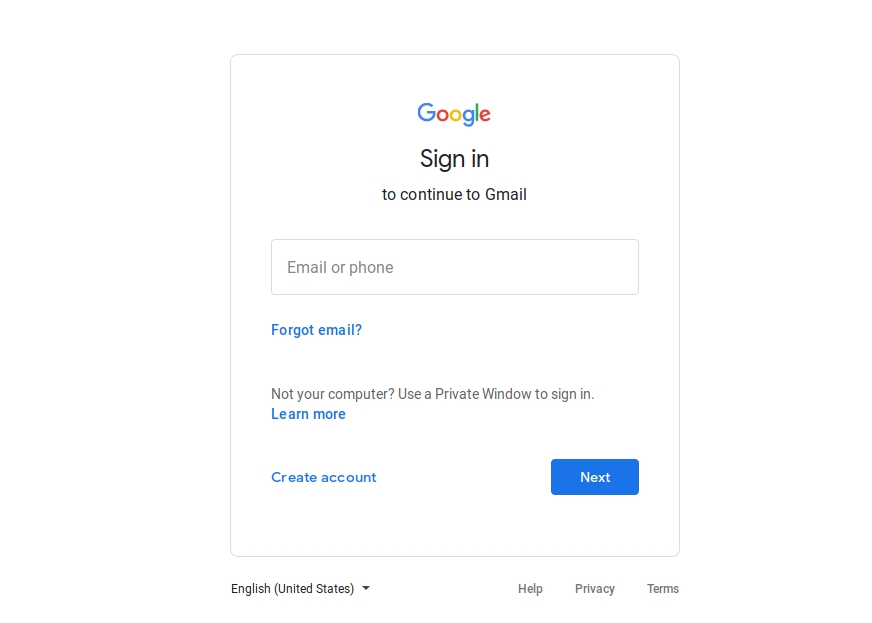
The cookies were for an expired session.

I thought about falling back to one of the other methods of getting access to these accounts, but having decided that I won't spend too much time on this, which at this point I'd already done. Going through a quick browse through the history of our now beloved phisher, I gained a much clearer image into their "operation" here (if you want to call it that). The websites from which he downloaded the mass mailing programs had been visited recently, establishing a baseline of about 10 days since he started working on this. In addition to Gmail, he'd also periodically checked his account on a famous bitcoin service. which suggests the possibility that he's been successful on some of his endeavors, that or he's periodically checking to see if he was.
After wrapping up with gathering a list of involved parties, looking up their abuse reporting emails, and sending some messages, I've decided to give it a rest.
And this concludes our two part series on this incident. Do I think about revisiting this machine one day? who knows...
Disclaimer: This story & the techniques mentioned therein are for educational purposes ONLY and does not necessarily reflect an actual event that took place in the real world.
Last updated